Fax to Self: Send Documents Straight to Your PMS
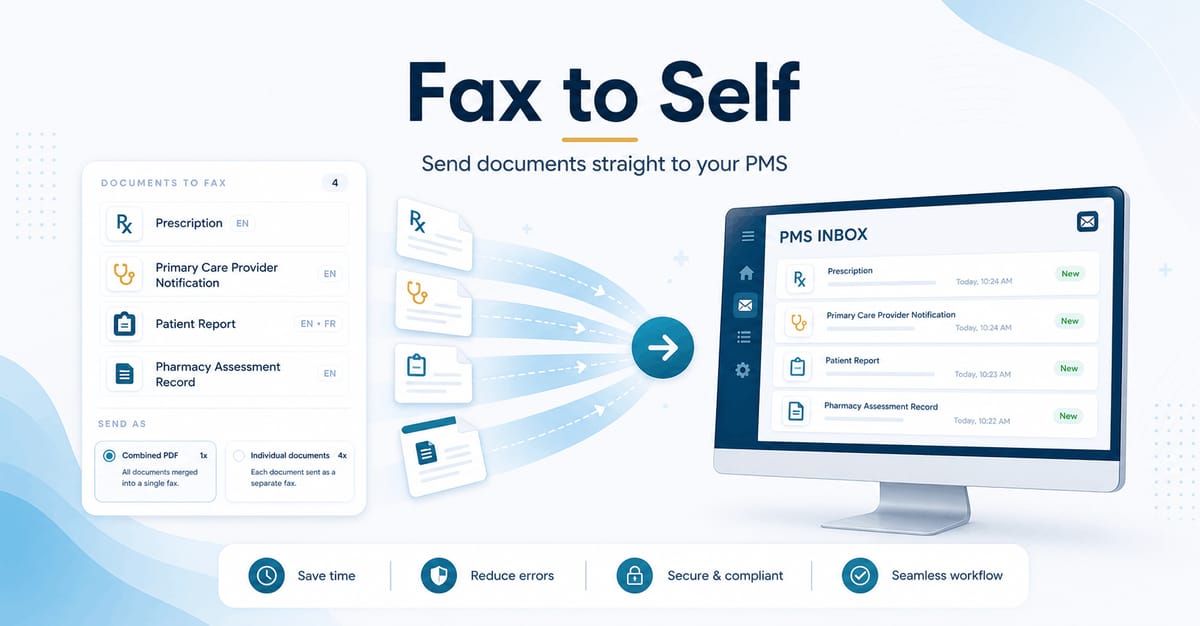
Your assessment is done. Your documents are ready. Now get them into your PMS, instantly.
We’ve launched a new feature that eliminates one of the most tedious parts of your post-assessment workflow. If your pharmacy uses a PMS that doesn’t have a direct integration with MAPflow, you’ve probably been downloading documents, switching systems, and manually uploading or scanning them in. Every. Single. Time.
Fax to Self changes that. With one click from the Service Summary, MAPflow bundles your selected documents and sends them directly to your pharmacy’s own fax number. If your PMS is set up to receive inbound faxes, the documents will be picked up automatically and ready to be attached to a prescription record, just like any other incoming fax.
Why this matters
Pharmacists don’t have time for busywork. You completed the assessment, generated the reports, and now you just want them attached to the patient record so you can move on to your next consultation. Fax to Self gets you there in seconds instead of minutes.
No more downloading PDFs to your desktop. No more navigating your PMS upload screen. No more scanning paper copies. The documents you already generated in MAPflow arrive exactly where you need them, ready to attach to the prescription or billing record.
How it works
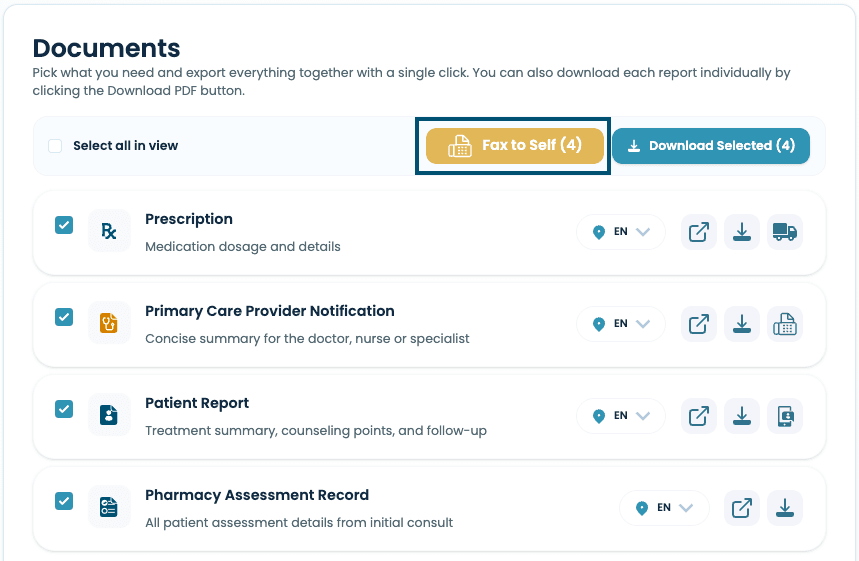
The workflow is seamless and stays entirely within the Service Summary page you already know:
- Select your documents. Check the reports you need: notification report, patient handout, prescription, pharmacy assessment records, or any combination. Choose your language preference for bilingual documents.
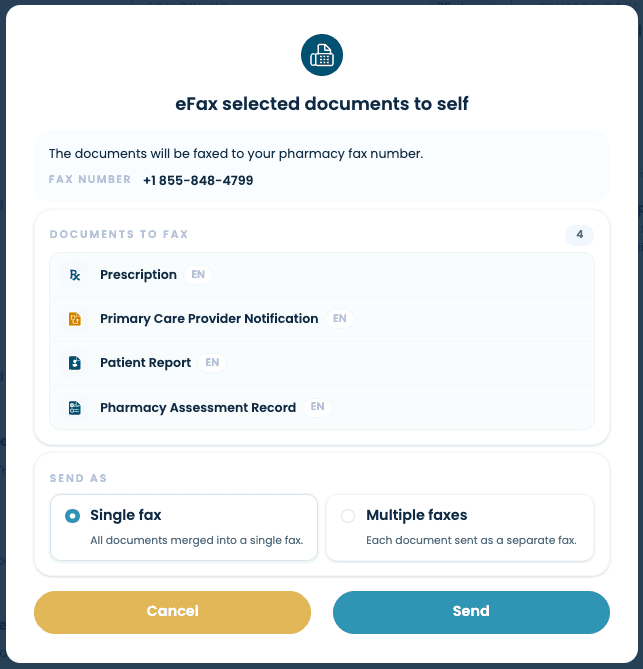
- Tap “Fax to Self.” A confirmation dialog shows you exactly what’s being sent: the documents, their languages, and your pharmacy’s fax number.
- Hit send. MAPflow combines everything into a single fax and delivers it to your pharmacy’s eFax inbox. Your PMS picks it up and routes it into the patient record automatically.
That’s it. Three steps, a few seconds, and your documents are exactly where they need to be.
Works with the workflow you already have
If your pharmacy has eFax-to-PMS routing set up, Fax to Self plugs directly into that existing pipeline. There’s nothing new to learn and no process changes for your team. Incoming faxes show up in your PMS the same way they always do, except now MAPflow is sending them for you.
This is especially powerful for pharmacies using PMS platforms without a native MAPflow integration. Though we are busy working on integrating directly with more PMS platforms, Fax to Self gives you an automated path from completed assessment to patient record, today.
What you can send
Every document available on the Service Summary can be faxed to your pharmacy:
- Notification report for the primary care provider
- Patient handout in English and French
- Prescription ready for dispensing
- Initial assessment or Full assessment report with your complete clinical documentation
- Follow-up report when a follow-up has been completed
Select one or select them all. MAPflow combines your selection into a single fax for a clean, organized delivery.
Getting started
Fax to Self is included with every Pharmacy subscription. On an Individual subscription, it’s available as an add-on module.
The “Fax to Self” button is already on your Service Summary. If your eFax module isn’t set up yet, clicking it will walk you through activation: just a few clicks, no phone calls or support tickets needed.
Ready to try it?
If you’ve been downloading reports and re-uploading them into your PMS after every assessment, this feature pays for itself on your very first consultation. Finish your next assessment and look for the “Fax to Self” button on your Service Summary.